How Rules Route To Policy Optimizer
Rules can be routed into Policy Optimizer's workflow from one or more user-configured instances of the Rule Search query. However, instead of the resulting matches being printed to a PDF or HTML report file, the rules are associated with a work item that is routed to the appropriate review workflow.
Examples of a Rule Search query, would be:
- Find all rules for a specific device.
- Find all rules with an expiration date in the last 10 days.
- Find all rules that fail the <named> audit checks.
- Find all rules that have been unused for the past 90 days.
Once a rule is inserted into the workflow, the system performs several evaluations to determine where to appropriately route it for review. The system checks to see whether an Owner is defined in the Rule Documentation. If no Owner is identified for the rule, it is assigned to either a default reviewer or left unassigned. Notifications are sent nightly in a batch email message to the Assignees.
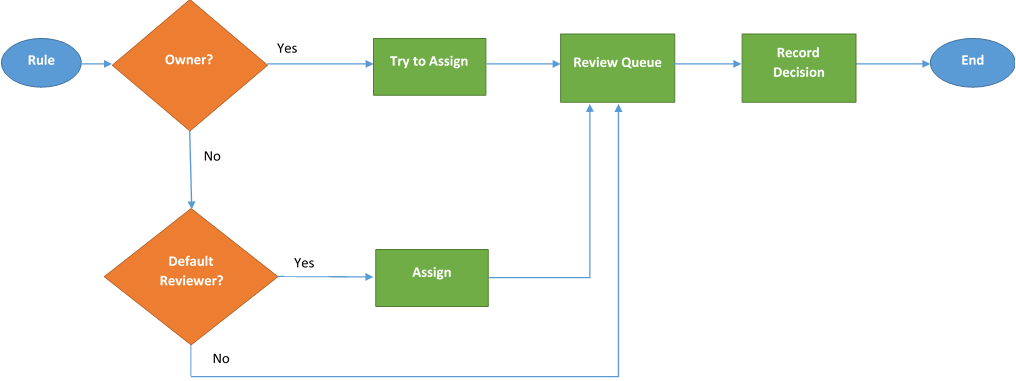
Rules are routed to Policy Optimizer from Security Manager.
Automatic routing is event-driven (an event is a failure of a control). Here are a few examples:
- Expired rules
- Control failures
- Due for a period review
- Failed an on-demand query using Rule Search control
Manual routing of a single rule or group of rules.